My territory
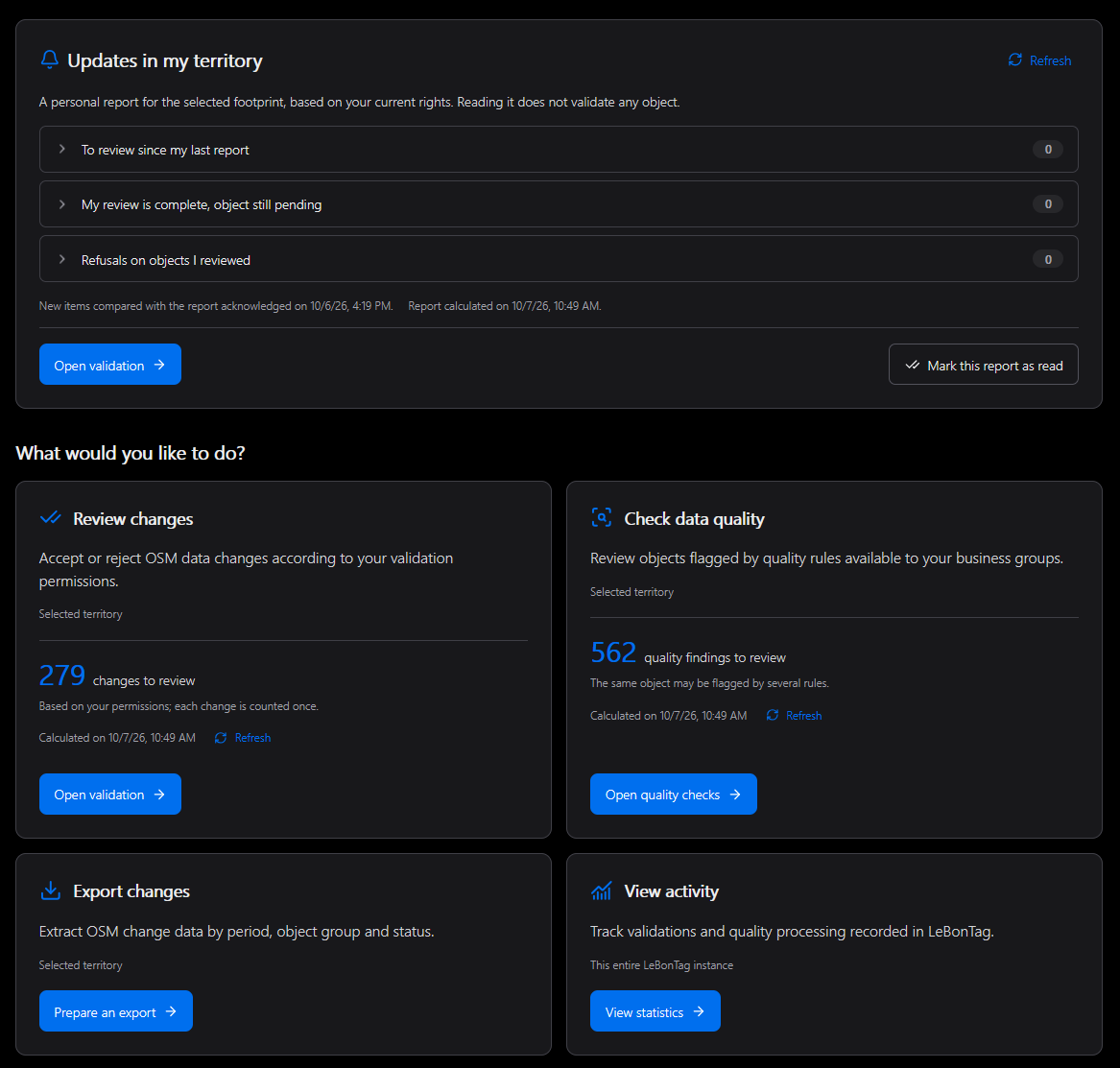
My territory is the home page for a signed-in user. It brings together the working territory, available modules, workload counters and personal notifications.
Choose the working territory
- Select a territory in the page header when several footprints are assigned to you.
- Check that the displayed counters have finished refreshing.
- Open Validation, Quality or Export from its card.
The shared selection is reused by modules that work with a territory. Your current browser choice takes precedence over the account's preferred territory when it is still authorised. A preference never grants access to another territory. If an administrator removes an assignment, choose one of the remaining authorised areas.
With one assigned territory, no choice is necessary. If none is assigned, contact an administrator: an empty working area does not mean OSM contains no data.
Read the counters
| Card | Meaning |
|---|---|
| Review changes | Changes accessible under your current review rights in the selected territory; the same change is counted once |
| Check quality | Findings from accessible quality rules; an object may be reported by more than one rule |
| Export changes | Prepare a file for a period, groups and states |
| View activity | Statistics for the instance, not a counter restricted to the selected territory |
The calculation time shows how recent a count is. Refresh it when needed. These totals need not match the number of objects currently drawn on a map: detailed display has limits per group and map filters also apply.
Personal follow-up
The Follow-up on my territory panel distinguishes new work, objects still waiting after your own verification, and refusals affecting reviewed objects. Expand a category to inspect its entries. Marking the report as read acknowledges the report; it does not accept or reject anything.
See Notifications for the comparison baseline and email subscriptions. See Maps for common controls.