Notifications and email subscriptions
LeBonTag offers a personal report on My territory and optional email summaries. Neither channel validates objects or modifies the local reference.
Read the territory report
The report uses the selected footprint and your current rights. It compares the current situation with the acknowledged report:
| Category | Use |
|---|---|
| New work | Changes to examine since the comparison report |
| My verification completed, object still waiting | Follow shared work that is not finished |
| Refusals concerning reviewed objects | Notice a refusal that may require coordination |
Expand a category, inspect its entries and open Validation if you need to act. Refresh recalculates the report. Mark as read updates the acknowledgment baseline. It is not an approval, an email delivery acknowledgment or an instruction to integrate data.
Displayed entry lists can be capped while their counters reflect a larger total. A report is a comparison of states, not an exhaustive audit log of every intermediate event. A change in rights or territory can change its content.
Subscribe to email
- In My account, provide a usable, verified notification address.
- Open the subscription settings and enable the subscription.
- Choose the authorised territories and categories.
- Select daily or weekly, then save.
The category about your completed verification on still-pending objects is available for weekly summaries, not daily ones. Email delivery also requires the administrator to enable/configure SMTP and the scheduled digest worker.
Frequency controls when a summary becomes due; it is not a guarantee of delivery at a precise hour. The worker runs periodically. An empty or ineligible summary need not produce an email. Check account delivery information when a message is missing.
Unsubscribe or change an address
Disable the subscription in your account or use the unsubscribe link in an email. Removing a subscription does not alter existing validations. Recheck delivery eligibility after changing the notification address or after an administrator changes your territory assignments.
Troubleshoot a missing message
Check the verified address, spam folder, subscription categories, selected territories and rights. A successful SMTP test confirms that test submission only; it does not prove all scheduled summaries will arrive. Ask an administrator to inspect Email monitoring if the account remains eligible but deliveries fail.
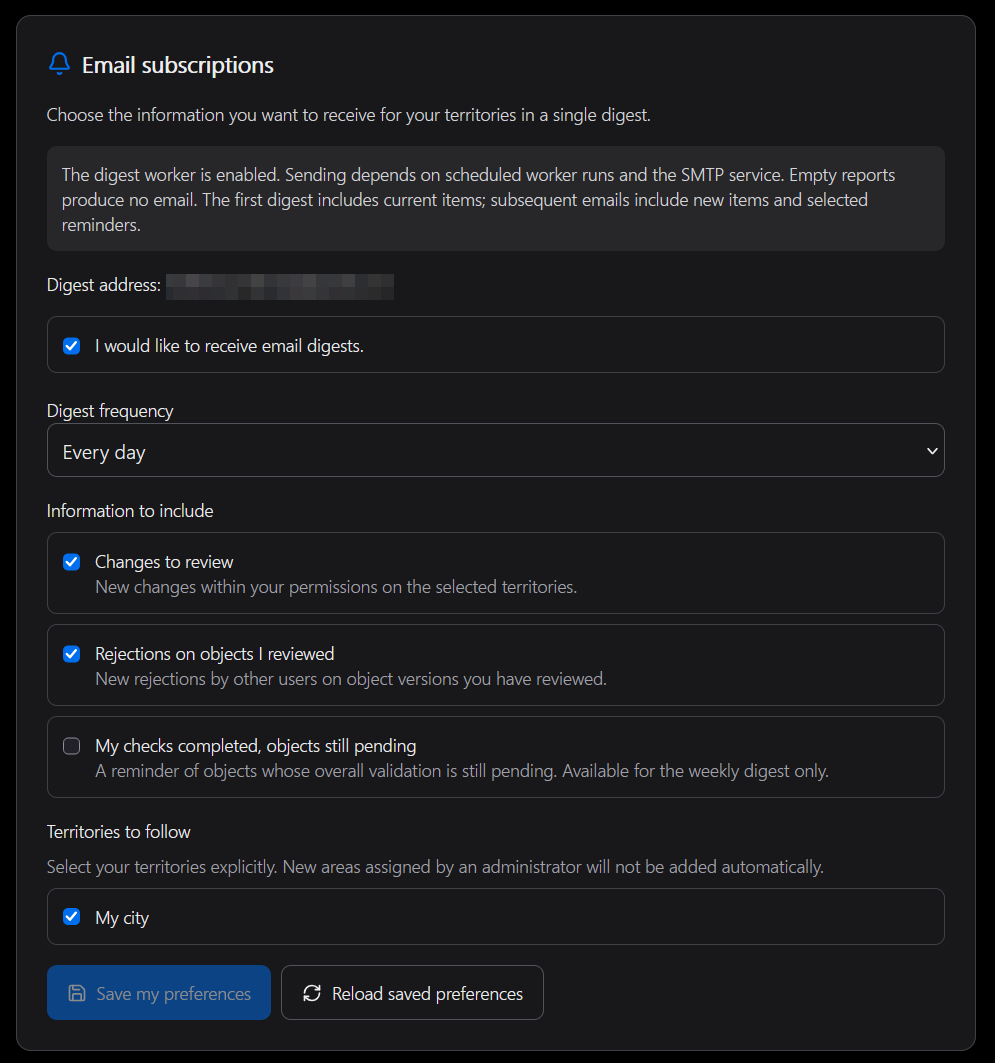
A newly assigned footprint is not automatically added to the subscription: select it explicitly if you want email follow-up for that territory.