Exporting changes
Export downloads changes recorded by LeBonTag. It is not a complete PBF export of the local reference, nor the OSC file used internally for integration.
Prepare a download
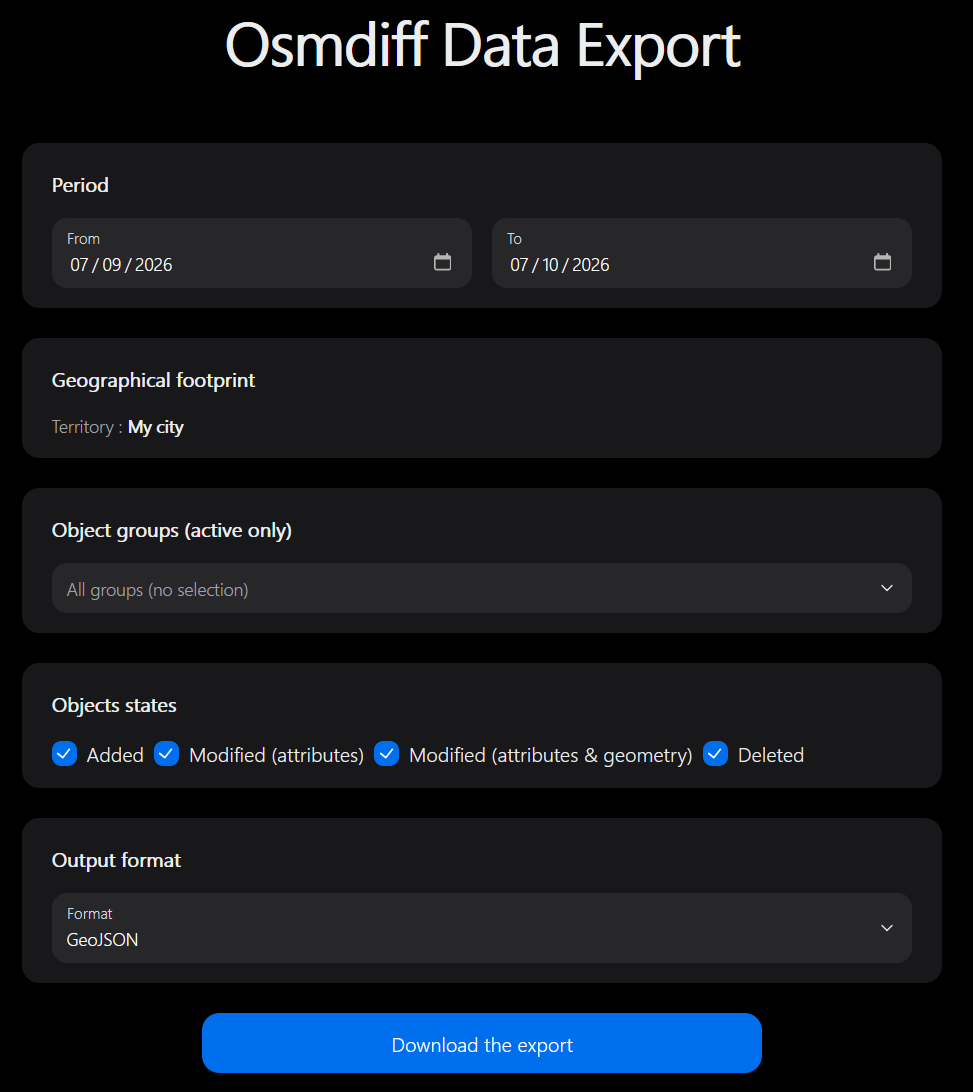
- Select the working territory.
- Choose the period, object groups and states offered by the form.
- Choose GeoJSON, GML or KML.
- Generate the export and download the result.
For GeoJSON, a selection involving several group layers can produce a ZIP with separate files. Preserve the generated files together if you need to retain the group organisation.
Interpret the result
The form's “states” describe the change: addition, attribute modification, modification with geometry, or deletion. They are not approval/integration statuses. This is therefore not an export restricted to accepted or integrated objects.
The period applies to the new versions' OSM timestamps. The query searches current and historical changes and retains the latest version of each typed identity within the period. It does not return every intermediate version. For a deletion, the old geometry can be used when there is no new geometry.
When importing into a GIS, keep OSM type, identifier and version together whenever those fields are available. Joining solely on a numeric OSM identifier can mix nodes, ways and relations. Different object groups may cover the same OSM object.
If the file is empty, check the period, selected states, territory and groups before widening the request. If you need a reference extract rather than changes, organise an export of the reference database outside this module.
Generated server files are subject to the administrator's retention settings. Download files you need to retain; the export directory is not an archival service.