Integration and segmentation monitoring
Open the integration entry from Administration. This page gives administrators detailed publication information; About exposes a simpler freshness summary to users without administration rights.
Inspect a batch
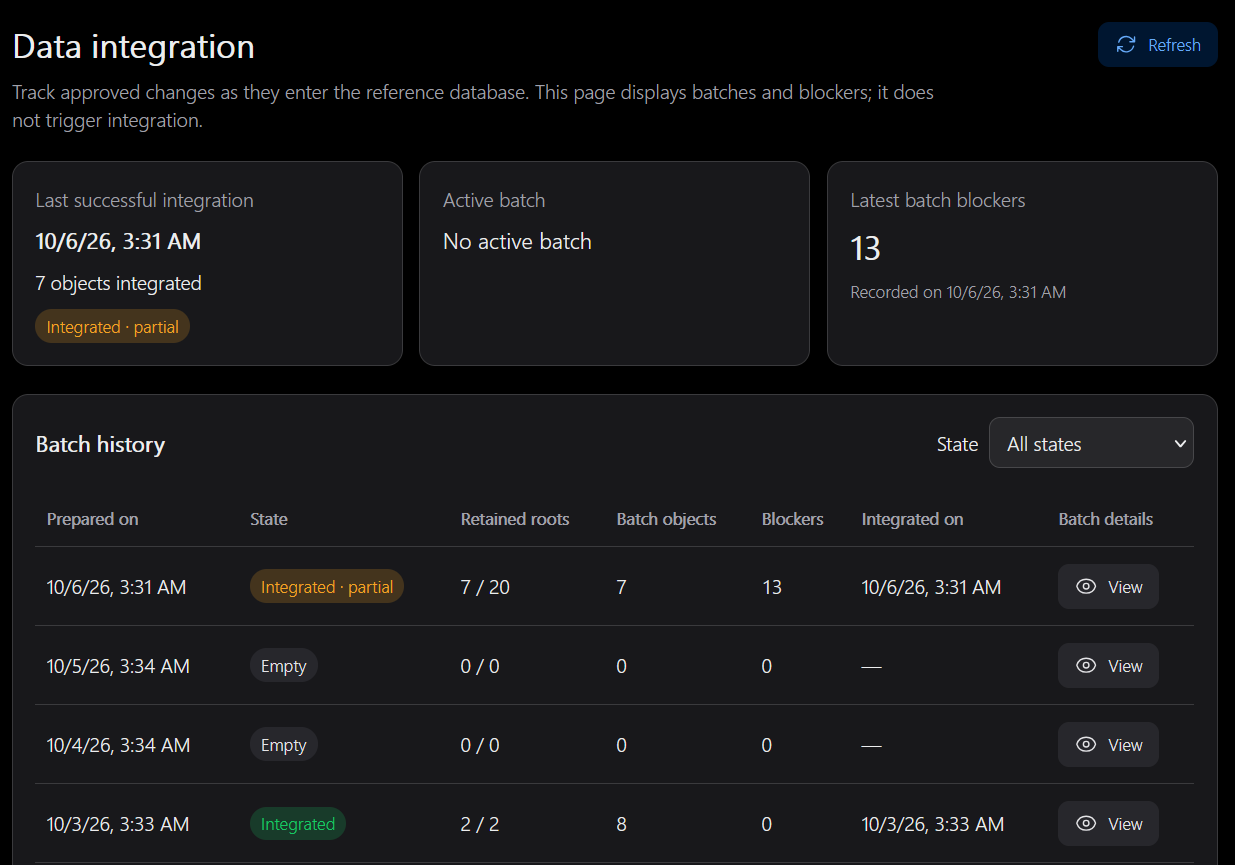
Filter the batch list by state, refresh if needed and open its details. Read the target database, times, selected/retained/blocked root counts, primitive count and execution result together.
| Batch state | Meaning |
|---|---|
prepared | A candidate batch has been stored; this alone does not prove execution checks passed |
running | An execution is in progress |
integrated | Integration and its business finalisation were confirmed |
blocked | No selected root could be retained |
empty | No work was selected for this batch |
needs_review | An execution outcome requires inspection before recovery |
cancelled | The prepared work was explicitly cancelled |
A partial batch can integrate retained roots while leaving others blocked. Roots are approved changes selected for processing; objects include the required dependency primitives. The validation count records business decisions handled, so it need not equal either number.
Open object and blocker lists to follow typed identities and OSM links. An OSM link displays current OSM data, not necessarily the exact historical version in the batch.
Interpret blockers
| Code | Meaning / next step |
|---|---|
dependency_pending | A required object version still needs review |
dependency_refused | A required version was refused; coordinate the decision, do not override it automatically |
affected_parent_pending | Updating a child affects a parent whose change still needs review |
affected_parent_not_in_batch | A required authorised parent was not retained; inspect its own blocker or selection context |
context_incomplete | The stored dependency context is insufficient or inconsistent |
version_conflict / context_content_changed | Required versions or contents cannot be reconciled safely |
delete_still_referenced / parent_pending | A deletion would leave a parent referencing the object |
An object outside the original regional extract can cause a missing context. Approval does not manufacture missing members. A blocked item is not necessarily a program failure, but recurring technical blockers deserve investigation.
Distinguish check and execute
A check does not append data. Read the execution outcome: checks_passed differs from check_failed, even when the batch is prepared. An execute succeeds only when finalisation is confirmed. Exit code 2 can mean business blockers or partial completion rather than a system failure; inspect the report, not just the exit code.
The web monitor does not launch append or recovery. For needs_review, inspect stored evidence before using the documented command-line recovery tools. Never turn an uncertain batch into integrated by manually editing SQL.
Follow segmentation separately
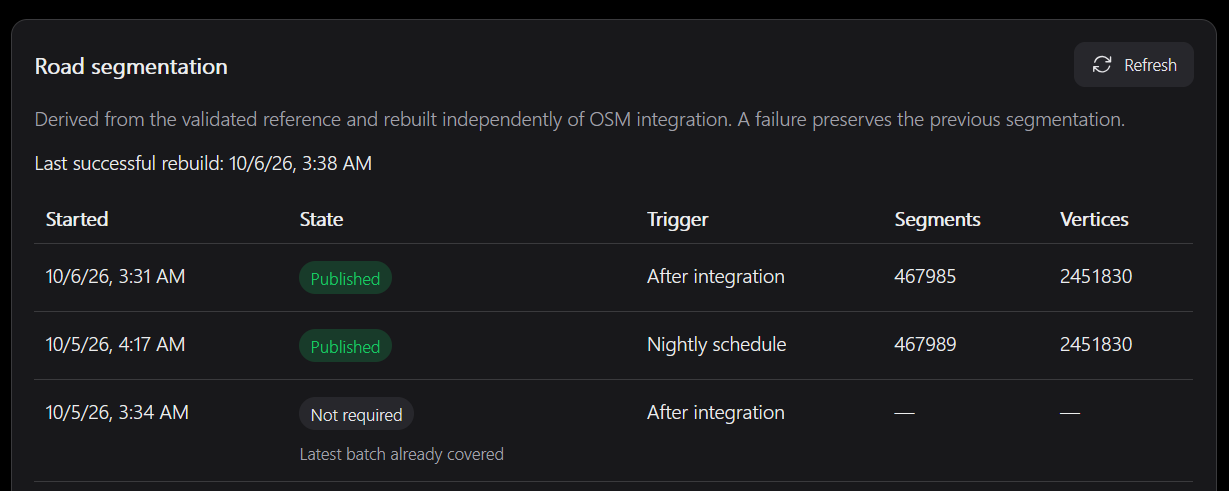
The segmentation panel reports its own runs, result, counts and source integration. A successful integration does not prove its derived sections were refreshed. Conversely, a segmentation failure does not undo the already-integrated reference.
Check whether segmentation is enabled, the latest successful source state and nightly service activity. See Segmentation and Operations.