Users, territories and responsibilities
Access combines several dimensions. An administrator role grants configuration access; it does not replace the business rules governing ordinary review work.
| Dimension | Question answered |
|---|---|
| Application role | Can this account administer the instance? |
| Assigned footprints | Where can this user work? |
| Business-group membership | Which team's responsibilities does the user have? |
| Validation rights on object groups | Which tags and/or geometry must that team examine? |
| Quality-rule assignments | Which findings can the team process? |
Set up a reviewer
- Locate the account in Users after it has been created through the configured authentication flow.
- Assign the appropriate application role; grant administration only when needed.
- Associate one or more footprints.
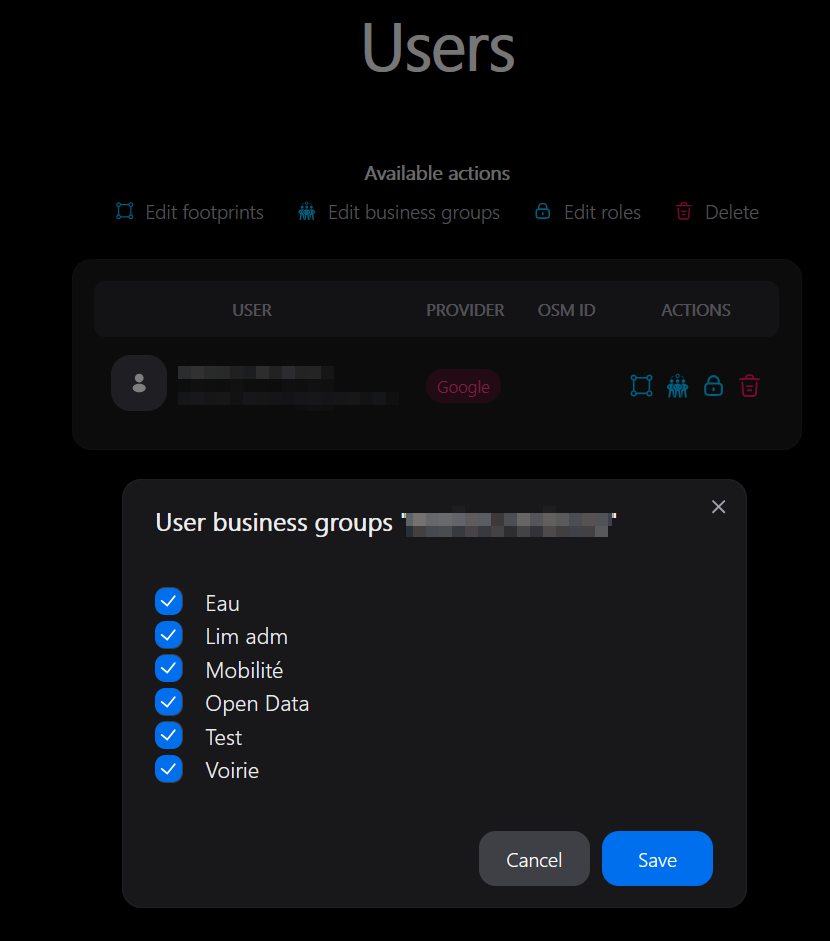
- Add the user to the business groups responsible for their work.
- Check each group's review rights and quality-rule assignments.
- Ask the user to open My territory and verify the offered areas, counters and objects.
An assigned footprint does not itself define which tags the user reviews. Conversely, review rights without an accessible footprint do not provide a useful working area.
Define a footprint
In Footprints, enter a name and the WKT/EWKT geometry expected by the form, then inspect its map preview before saving. The map interprets coordinates as EPSG:4326: transform a GIS boundary into that system rather than pasting Lambert-93 coordinates with another SRID. Assign the footprint to the relevant users afterwards.
A working footprint scopes access; it does not download a new region's data. Extending it beyond the initial PBF can leave the reference incomplete. After a boundary change, also check that the pipeline refreshes footprint intersections.
Change assignments
Save the change and verify the reloaded assignments. The application refreshes access data; old local territory preferences cannot grant revoked access. If the current page still displays an old selection, reopen the module and choose an available territory.
Changing your own role is possible, but removing your own administration right removes access to the administration pages. Retain another authorised administrator when organising responsibilities.
Avoid unnecessary complexity
Use business groups for stable responsibilities, such as roads or buildings, rather than one group for every user. Share an object group between teams when they examine different attributes. Describe responsibilities clearly so partial validations are understandable.
OSM objects can belong to several groups, and group responsibilities can overlap. Check the review sheet with representative objects after a rights change. A user who sees no work may simply have no monitored changes matching the current data.